Keep job communication in one place
Your cleaners, clients and office staff can all communicate directly on each cleaning job, so no details get lost. Everyone can see the latest job information in real-time with our two-way chat feature.
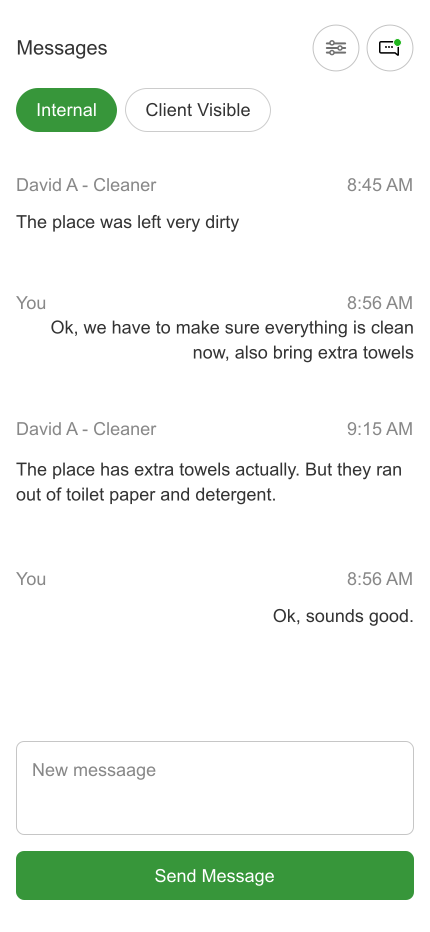
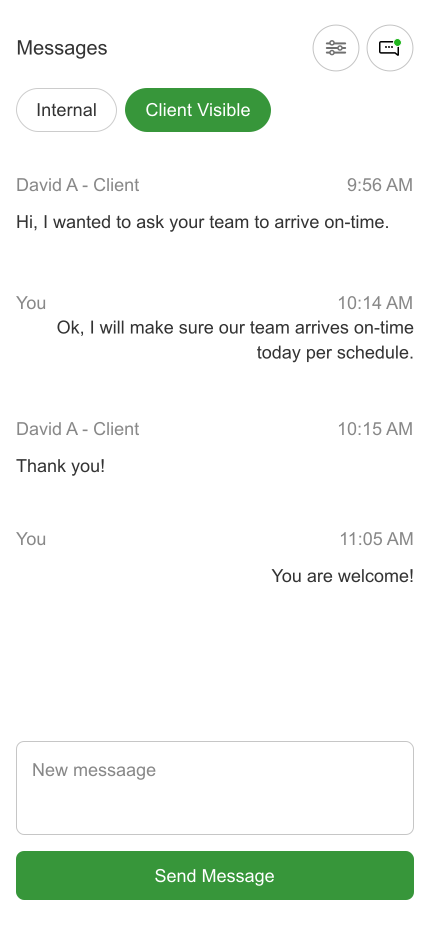
Your cleaners, clients and office staff can all communicate directly on each cleaning job, so no details get lost. Everyone can see the latest job information in real-time with our two-way chat feature.
Traditional group texting and emails can quickly become chaotic when you're juggling multiple jobs. Messages get lost in long threads, important details are buried, and it's hard to track what was said about which job. CleanerSync's job-based chat keeps all communication organized by job, so everyone involved can see the full context and history in one place.
Send and receive messages directly on each job. Your team, clients, and cleaners can all communicate in real-time, with full message history visible to authorized users.
Add private notes that only your office staff can see. Perfect for tracking internal details, customer preferences, or operational notes that shouldn't be shared with clients.
Automatically notify relevant parties when job status changes. Keep everyone in the loop without manual updates.
Full visibility into all job communication. Manage conversations, add notes, and oversee all client and cleaner interactions from one dashboard.
Clients can message directly about their specific jobs. They'll only see conversations related to their properties, keeping everything organized and private.
Cleaners can send updates, ask questions, and report issues in real-time. They see only the jobs they're assigned to, with full message context for each one.
Your office staff and managers can collaborate internally with private notes, while also managing client-facing communication as needed.
CleanerSync keeps your team and clients connected in real-time. Whether it's a last-minute change, a question about supplies, or a quick update on job completion, everyone stays in sync without the back-and-forth of traditional messaging.
"Cleaner Sync was a more affordable alternative to other platforms and feels more intuitive and easy to use for our team — scheduling, photo proof, and invoicing all in one place."
CleanerSync isn't just another messaging app — it's built specifically for how cleaning businesses operate. Every feature is designed around the way you actually work, from job assignments to client communication to team coordination.
Whether your cleaners need to report an issue on-site, your office needs to coordinate a schedule change, or a client has a last-minute request, CleanerSync keeps everything organized and accessible.
See How It WorksStart keeping all your cleaning job conversations organized in one place.
Start Your Free Trial