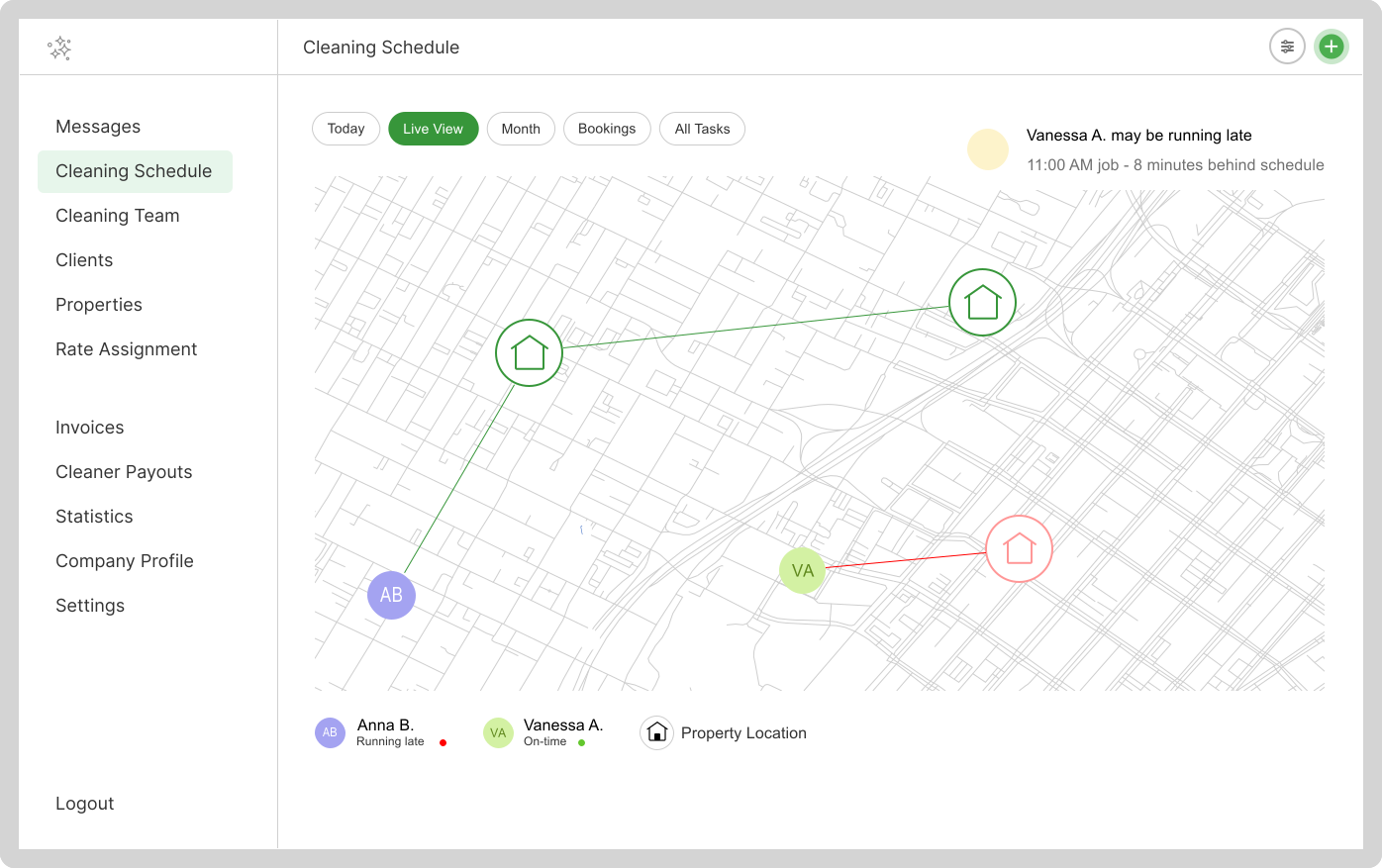
Stop calling cleaners to ask "where are you?" — Live Map shows you every cleaner's location, which properties are scheduled today, and whether anyone is running late. All in one glance.
Try CleanerSync Free
Running a cleaning business means staying on top of multiple jobs, multiple cleaners, and multiple properties — all at once. Without visibility, you're flying blind. Real-time tracking gives you:
Each cleaner needs to have the CleanerSync mobile app installed and location sharing enabled. When they start their shift, the app begins sharing their GPS position in the background. No special action is required — it works automatically as long as location permissions are granted.
CleanerSync tip: Ask each cleaner to grant "Always On" location permission so tracking works even when the app is in the background. This is the most reliable setting for all-day visibility.
Live Map is accessible directly from your bookings dashboard. Click the map icon to open a full view showing:
Live Map calculates each cleaner's estimated travel time to their next job based on their current location. If a cleaner is unlikely to arrive on time, you'll see it flagged — giving you time to reach out, reroute, or notify the client proactively.
CleanerSync tip: Use the running-late indicator as an early warning system, not a blame tool. When you contact the client ahead of time, you turn a potential complaint into a positive touchpoint.
Not every booking has a fixed time. Live Map still shows property pins for flex-time jobs, so you can visually identify which cleaners are closest and assign on the fly. This is especially useful for same-day requests or when a job opens up unexpectedly due to a cancellation.
Live Map tells you where your team is — photo reports tell you what they've done. Together, they give you complete visibility into every job without being on-site. Cleaners upload before and after photos through the app, which are attached to the booking record and visible from your dashboard.
CleanerSync tip: Require a photo at job start and job completion. The timestamps on photos serve as a reliable record of when cleaners arrived and when work was finished.
Live Map gives you a real-time view of your entire day, from the first job to the last.
Start Your Free Trial